

New. A native app for Windows
macOS in preparation
The intelligent writers room for infinite creativity.
Caliopia puts human writers back on top, making it easy to create remarkable stories in industry-standard formatting — right on your own computer. It’s packed with a wide range of powerful writing features that help you turn any idea into something unforgettable.
 Caliopia
Making human creativity outshine AI. Starting now.
Caliopia combines three amazing products — a revolutionary story outline builder, a brainstorm canvas, and a breakthrough writing space with industry-class formatting, character design, previsualization, and story analysis — into one easy to use and intelligent desktop app. It runs natively on your Windows PC, works fully offline and keeps every project as a plain folder on your own drive; macOS is in preparation. Caliopia also introduces an entirely new user interface based on a large multi-board workspace and pioneering creative workflows, letting you control everything with just a few clicks. So it ushers in an era of creative power and sophistication never before seen in a writing tool, completely redefining what you can do in a writing space.
- 100%
- offline. No internet, no account, no sign-in — open the app and write.
- 60fps
- native rendering. Fluid on the timeline, even with hundreds of story blocks.
- 200
- versions per project, kept automatically. Restore any of them with one click.
- 0
- words written by AI. None is built in. Bring your own — if you want one.
Caliopia’s Inciting Incidents.
Revolutionary outline builder. Finally, a story that holds together.

Industry-class writing space. Pages that look as professional as the ones that get made.


Previsualization. See every scene long before anyone shoots it.
Writing together. Create side by side, from anywhere in the world.
- AAva
- LLuca
- MMira
- NNoah
Brainstorm. Every idea gets room to breathe — and a place to become a story.

Notes. No thought gets lost between the lines.

Export. Production-ready the moment inspiration is.
- .docxDOCXWord-compatible
- .pdfPDFUniversal export
- .fdxFDXCompatible with Final Draft
Revolutionary Outline Builder
Your whole story, at a glance.
Plan plot, characters and themes visually — and keep your whole story under control at a glance. The Outline Editor shows you acts, sequences, scenes and tension arcs side by side. Move whole story building blocks with drag and drop, keep everything in sync with the script, and see instantly how each change affects your dramaturgy.

1 of 9
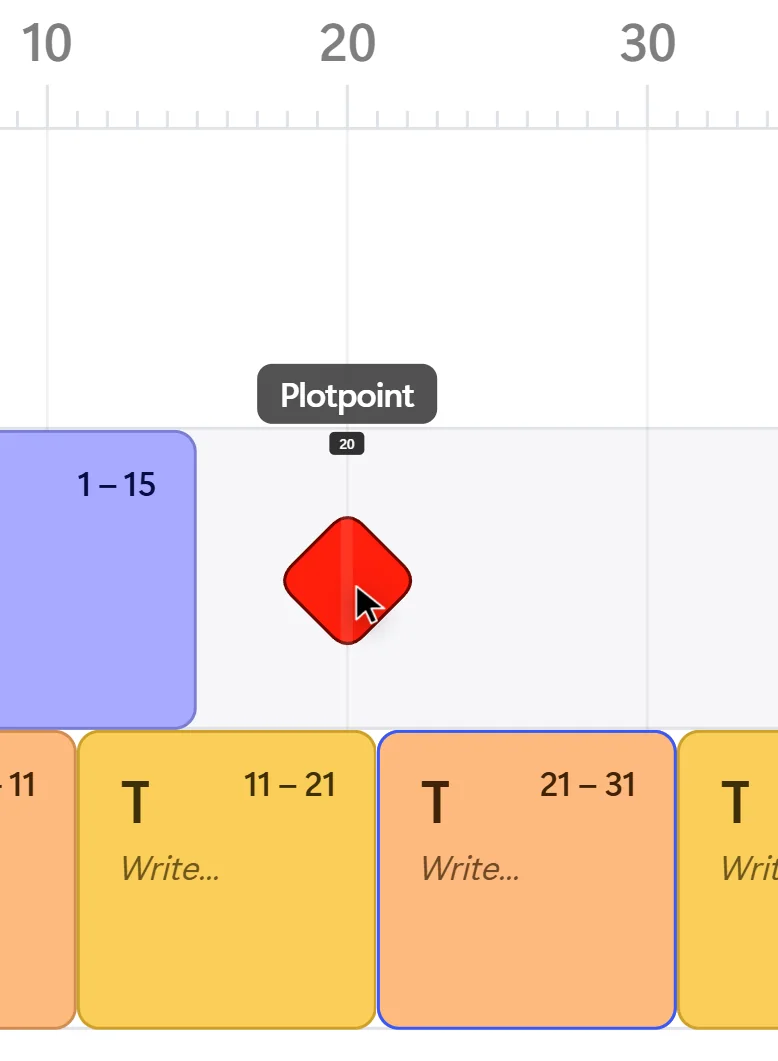


110203040
Opening Image
The First Map
Elias’s Warning
Final Choice
Target pages110
Page 83
1255075100
PagesMinutes

Search every whiteboard. Find anything.

Industry-Class Writing Space
Writing in flow.
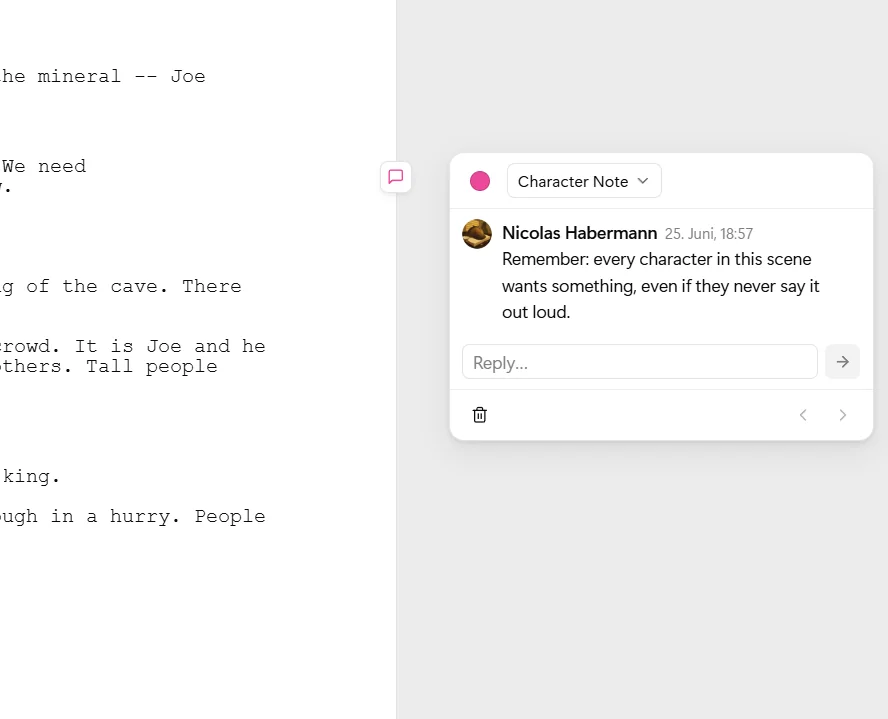
A calm, focused editor that never pulls you out of your story — from the first line to the final draft. Write in an editor that masters industry-standard screenplay formatting automatically. Smart Type completes characters and locations, Script Notes live right in the margin, and the Quick Finder takes you to any scene in seconds — no matter how long the book gets.
1 of 8


Rename characterJonathan
INT. JONATHAN’S STUDY — NIGHT
Jonathan closes the door and listens.
JONATHAN
You came back.
ELEANOR
I promised, Jonathan.
Pick your workspace for your format.
Writing a novel and writing a screenplay need different tools. Choose the workspace built for the format you’re writing in — and stay in flow.
Write in a calm, prose-first workspace — chapters, scenes and beats flow naturally as you draft your book.

Switch to a dedicated screenplay workspace — slug lines, action and dialogue auto-arrange in industry-standard format.

INT. PRODUCER’S OFFICE — DAY
A WRITER slides a tablet across the desk. The screen glows with a moving storyboard — every scene of her script, alive.
PRODUCER
(leaning in)
You actually see it. The whole film. In one go.
WRITER
That’s the idea. The page tells the story. The previs sells it.
On the tablet: characters, locations and moods, drawn straight from her script. Each frame a window into the world she imagined.
INT. WRITER’S STUDIO — NIGHT
She types. Caliopia listens. A scene heading becomes a place. A character becomes a face. A beat finds its image — right beside the page, in her style.
WRITER (V.O.)
Previs is how my words become a pitch. Complex ideas, suddenly visible.
CUT TO:
EXT. ROOFTOP — GOLDEN HOUR
Two PRODUCERS scroll through the previs together. They nod. They smile. They greenlight.
PRODUCER #2
Send me the rest. I want to see every frame.
FADE OUT.
Previsualization
Your story, made visible.
Define your characters and places first — Caliopia collects them straight from your script. Then give every scene its image, right next to the page. Previs lives in a small window beside your script: you see the image for the scene you’re writing, and from there you can switch into Cinema Mode to experience your screenplay like a film. Because every image builds on your Character and Place cards, each figure and each location stays visually consistent across all scenes. Caliopia itself contains no AI: add images from your own files — or connect the AI of your choice through the open MCP interface and let it paint your previs for you.

Cinema Mode. Switch to full-screen and scroll your screenplay like a film, scene by scene, fully visualized.
Characters & Places first. Caliopia builds reference cards for your characters and locations. Use them as visual anchors — every scene stays consistent.
MCP
Bring your own AI. Nothing is built in. Connect any MCP-capable AI and let it create your previs images — or simply upload your own.
Collaboration
Writing,
together.
Invite co-writers, editors and producers with a single invitation — Caliopia syncs every change. No matter where on planet Earth a person is sitting, you write together as if you were in the same room. And whoever goes offline simply keeps writing: everything is merged the moment they return.
- End-to-end encrypted. The relay server only ever sees ciphertext.
- Live presence. See who is here — and where their cursor is.
- Project chat. Talk it through right next to the page.

Brainstorming
Brainstorming Canvas.
Unfold your ideas on an infinite canvas. Freely connect thoughts, images and notes — and see your story come alive as one living whole.
Go on — drag a card.

Infinite canvas. Work without limits — zoom in, zoom out and keep the full picture in view.

Free connections. Link ideas, scenes and characters together visually.

A whiteboard behind every idea. Open any idea to find an infinite whiteboard — sketch, write, collect images. One canvas per thought.
Notes
Before you forget it.
A quiet place for the thoughts that arrive between scenes — a line of dialogue, a half-formed character, something you overheard on the train. Keep every idea and to-do right next to your manuscript, so nothing is lost and everything is one click away.
Catch every spark — sketch ideas, story notes and characters side-by-side with your timeline.
Keep momentum — turn any thought into a checkable to-do, right next to the page you are writing.


Export
Your script. Everywhere.
Export your project in every format your production expects.

W
Microsoft Word
Export your screenplay as a .docx to keep writing, sharing or reviewing in Word.

PDF
PDF
Perfectly formatted industry-standard PDFs — ready for pitch, print or submission.

Fd
Final Draft
Every draft is a real .fdx file — compatible with Final Draft and every production pipeline.
The desktop app
Native. Offline. Yours.
Caliopia is no longer a website. It is a real desktop app, built from scratch for speed — and for the simple idea that your stories belong on your machine.
- Windows 10 & 11Early access
- macOSIn preparation
Truly native
No browser, no web view. Every pixel is drawn on your graphics card — instant, fluid and razor-sharp on every display, from 100 % to 250 % scaling.
Works offline
No internet, no account, no sign-in. On a train, in a cabin, on a plane: open the app and write.
Your files, your folder
Every project is a plain folder in Documents\Caliopia — or anywhere you like. Every screenplay draft inside it is a real .fdx file.
Nothing gets lost
Every change is saved the moment you make it. Version History keeps up to 200 states of each project, and deleted projects wait in the trash for seven days.
Bring your own AI
Caliopia never writes for you. If you want an assistant, connect any MCP-capable AI — and take back anything it does with a single undo.
Light, Dark, Reader
Three carefully tuned themes — including a warm sepia Reader mode for the long nights before a deadline.
Frequently asked questions.
What is Caliopia?
Caliopia is a creative writing space for screenwriters, novelists and storytellers. Plan, write and shape your projects with Timeline, Notebook and Canvas — all perfectly in sync, in one native desktop app.
Which computers does Caliopia run on?
Caliopia is a native app for Windows 10 and Windows 11. A version for macOS is in preparation.
Do I need an account or an internet connection?
No. Caliopia works fully offline, without an account and without signing in. Your projects are stored as ordinary folders on your own computer. Only writing together with others needs a connection.
Which formats does Caliopia support?
Caliopia supports screenplays, novels, treatments and every other narrative form. With intelligent templates and flexible structure, Caliopia adapts to your project — not the other way around.
How does collaboration work?
Share a project and send the invitation to your co-writers, editors or producers. Everyone works on the same project at the same time, and every change shows up for everyone. The connection is end-to-end encrypted, and whoever is offline keeps working — Caliopia merges the changes when they reconnect.
Does Caliopia write with AI?
No. Caliopia contains no AI — the writing is yours. If you would like an assistant, you can connect any AI that speaks the open MCP standard. It can then read and edit your project for you, and every change it makes is a single undo step.
Which export formats are available?
You can export as Final Draft (.fdx), PDF and Word (.docx) — ready for any production or publication. A whole project can also be archived into a single file to hand on or back up.
Can I bring my projects from the Caliopia web app?
Yes. Download your project as a ZIP file in the web app and import it into the desktop app — layers, blocks, whiteboards, notebook and drafts come along.


Get early access today.
Be among the first to write in Caliopia for Windows. We’ll let you know the moment the macOS version is ready, too.
We only use your address for the early-access list. Privacy